

Short answer: IRS Publication 4557 is the IRS's plain-language guide to protecting client tax data, and you can turn it into a one-sitting checklist. The guide is about 20 pages. Most of what it asks you to do boils down to five things: lock down your logins, protect your devices and backups, watch for signs of theft, know who to call if something goes wrong, and write your plan down. Below is a checklist built straight from it. Grab a coffee. It's the off-season, nobody's calling, and this is the best time to do it.
One thing up front: Pub 4557 is a guide, not a form you file. It's the "how to keep the doors locked" book. Its sibling, IRS Publication 5708, is the one with the written-plan template. Our Pub 5708 walkthrough covers that one.
What is IRS Publication 4557, and who is it for?
Its full name is Publication 4557, Safeguarding Taxpayer Data: A Guide for Your Business (the copy we read is the 2024 revision). The IRS says it's for every tax professional, "whether a partner in a large firm or a sole practitioner," and for every Authorized IRS e-File Provider. It also says everyone in the office, professional and administrative staff, should learn about security threats.
Why does the IRS care? Its own words: data thefts at tax professionals' offices are on the rise, and thieves need more taxpayer data to file fake returns. Your client list is basically a shopping list for them.
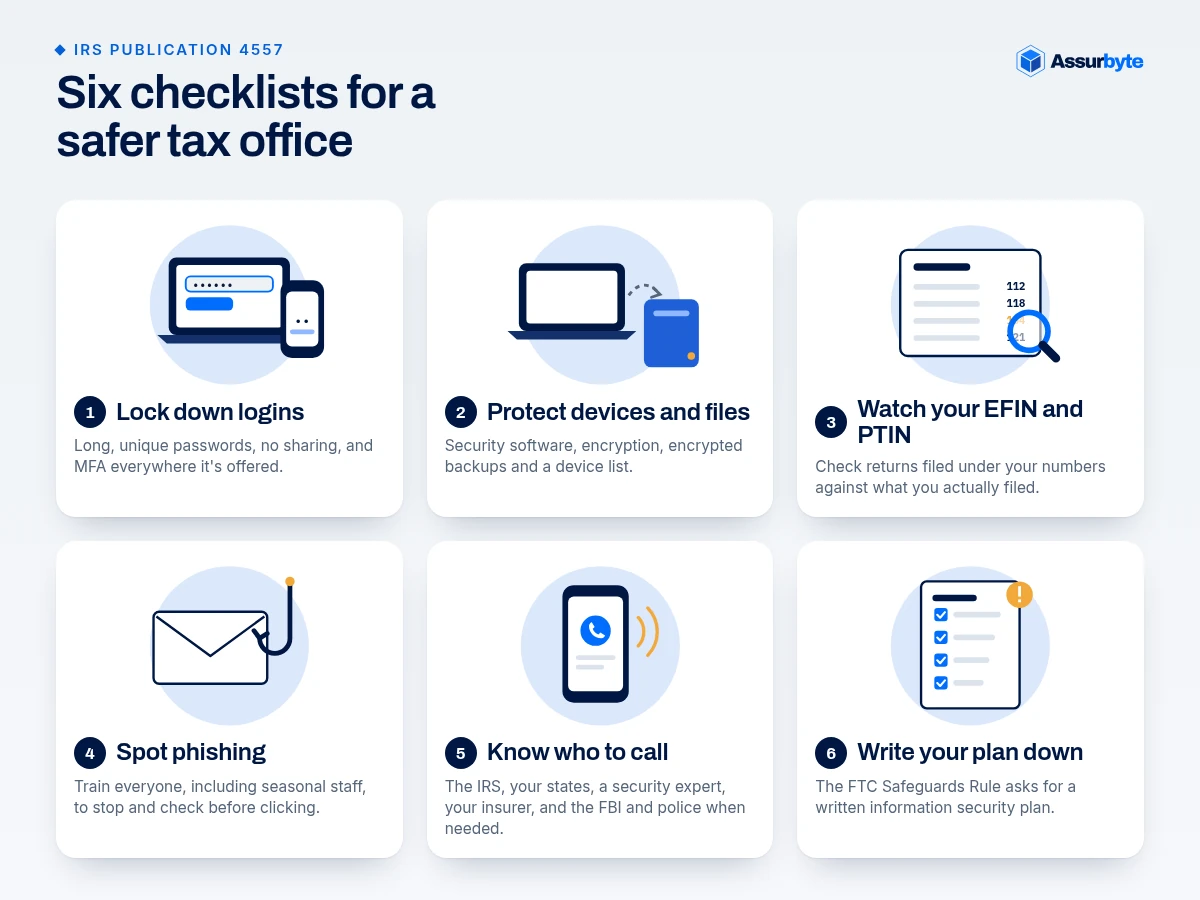
Checklist 1: Are your logins locked down?
Think of passwords as the keys to your office. The guide asks you to:
- Use long, unique passwords. At least 8 characters, and the IRS suggests 16 or more for an administrator account (the account that can change settings for everyone). Phrases beat clever symbols.
- Never reuse or share passwords. Everyone who touches client accounts gets their own. Changing "Bgood!17" to "Bgood!18" doesn't count as new. The IRS actually uses that example.
- Change default passwords on routers, printers, and new devices. Yes, the printer too.
- Turn on multi-factor authentication (MFA) everywhere it's offered. That's the "password plus a code sent to your phone" login. It can protect an account even after a password is stolen. The IRS says to use it for your tax software, email, and storage accounts. We cover the rule behind it in MFA for tax preparers.
- Try a password manager, protected with one strong password.
Checklist 2: Are your devices and client files protected?
- Security software on every device. Anti-virus, anti-spyware, a firewall (a digital doorman that blocks unwanted connections), and drive encryption (scrambles files so a lost laptop is just a paperweight). Set them to update automatically. Windows and Mac both come with built-in versions.
- Encrypt sensitive files and emails, especially anything with Social Security numbers.
- Back up client data to an external drive or secure cloud storage, encrypted. The IRS calls this your best protection against ransomware (malware that locks your files until you pay). Keep the drive somewhere safe, and don't leave it plugged in full-time.
- Make a device list. Write down every laptop, phone, tablet, and external drive that holds client data, plus the software that handles it. Can't protect what you can't list.
- Limit access. Only people who need client data to do their jobs should have it.
- Clean up when you retire gear. Wipe old hard drives and printers before they leave the building, or destroy them. Shred paper that has taxpayer info on it.
- Lock the Wi-Fi down. Change the router's admin password, use WPA3 if you can, and skip public Wi-Fi for business email. If staff work remotely, the IRS says MFA plus a VPN (a private, encrypted tunnel to your office network) should be the minimum.
Checklist 3: Would you notice if someone were using your identity?
This is the part most offices skip, and it's the cheapest. Pub 4557 says to check your return counts weekly.
- EFIN: In your e-Services account, open your EFIN application and select "EFIN Status." If the number of returns filed is higher than what you filed, call the IRS e-help Desk.
- PTIN: In your online PTIN account, choose "View Returns Filed Per PTIN." If it's too high, file Form 14157 to report misuse. (The IRS notes this report is available to attorneys, CPAs, enrolled agents, and Annual Filing Season Program participants who file 50 or more returns.)
- Know the warning signs. Clients' returns getting rejected because one was "already filed," clients getting IRS letters about returns they never filed, refunds or transcripts nobody asked for, and computers acting strangely, like a cursor moving by itself.
- Clean out old authorizations. If you have a CAF number (the IRS ID that lets you represent clients), remove clients you no longer serve.
Checklist 4: Can your team spot a phishing email?
Phishing is a fake email that tries to trick you into clicking or typing a password. The IRS says thieves may pose as your tax software company, your cloud storage, the IRS, or even a new client. Typical clue: urgency, like "Update your account NOW."
- Train everyone, including seasonal staff, to stop and check before clicking.
- Don't open attachments from unknown senders, including "potential clients." Call first.
- Use separate personal and business email accounts.
- Share files through encrypted or password-protected methods, not plain email.
- Forward suspicious IRS-themed emails to phishing@irs.gov.
Checklist 5: Do you know who to call if something goes wrong?
Don't make this plan at 9 p.m. in the middle of a mess. Pub 4557 says to report data theft or loss right away to:
- The IRS, through your local Stakeholder Liaison. (Start at the IRS page Data Theft Information for Tax Professionals.)
- Your states, for any state returns you prepare.
- A security expert, to find the cause and stop it.
- Your insurance company, to report it and ask what your policy covers.
- The FBI and local police, when the IRS directs or you need a police report. Ransomware: the IRS adds the FBI and CISA, the government's cyber defense agency.
Our post on what to do after a tax firm data breach walks through this in more detail.
Checklist 6: Is your plan written down?
Here's where Pub 4557 hands you off. Tax preparers count as "financial institutions" under the FTC Safeguards Rule, and the guide says that rule asks for a written information security plan, a WISP. It lists the building blocks: name a Qualified Individual (the person who runs your security program), assess risks, use MFA, train your staff, oversee your service providers, and review the plan as things change. The rule itself is at 16 CFR 314.4. Not sure it applies to you? Start with Do tax preparers need a WISP?
Pub 4557 also has a tick-box checklist in the middle with "Ongoing / Done / N/A" columns covering hiring, training, systems, and failures. Print that page. A check mark on paper beats a good intention.
FAQ
What is IRS Publication 4557?
It's the IRS guide "Safeguarding Taxpayer Data." It gives tax professionals basic security steps, warning signs of data theft, who to report to, and an overview of the FTC Safeguards Rule.
Is Publication 4557 the same as a WISP?
No. Pub 4557 is a guide to good habits. A WISP is your written plan. IRS Publication 5708 has a sample WISP template, and Pub 4557 points you to it.
How often should I check my EFIN and PTIN return counts?
The IRS says weekly. Weekly checks help flag misuse early.
Do I have to follow every item in Pub 4557?
Not every item fits every office. The guide itself says not each recommendation will apply to every tax preparer office, but they're building blocks for a security plan.
Want a quick read on where your office stands?
You've now got the checklist. If you'd like a second set of eyes on what's already covered and what isn't, the free Small Office Security Checkup takes a few minutes and points out the gaps worth fixing first.
This post is general information, not legal advice. For questions about your own situation, talk to a qualified professional.
Sources
- IRS Publication 4557, Safeguarding Taxpayer Data (Rev. 5-2024 on the cover; footer says 6-2024). Every checklist item was checked against the PDF text: https://www.irs.gov/pub/irs-pdf/p4557.pdf
- IRS Publication 5708 (WISP guide and template): https://www.irs.gov/pub/irs-pdf/p5708.pdf
- IRS, Data Theft Information for Tax Professionals: https://www.irs.gov/individuals/data-theft-information-for-tax-professionals
- IRS, Protect Your Clients; Protect Yourself: https://www.irs.gov/tax-professionals/protect-your-clients-protect-yourself
- 16 CFR 314.4 on eCFR: https://www.ecfr.gov/current/title-16/section-314.4