

If your office ever has a bad day, like a phished inbox or a laptop that walks off, the first questions are "who's in charge?" and "where was the client data?" Your WISP (Written Information Security Plan, your office's written game plan for keeping client data safe) is where those answers live. The good news: the IRS WISP template in IRS Publication 5708 gives you a ready-made starting point. The honest news: it's a sample with blanks, not a finished plan. You fill it in with your real people, devices and habits, and you check it against the rule it's built on.
Think of it like a recipe card from a friend. Great start. But you still have to shop, swap out what you don't have, and taste as you go. Here's how to work through it, section by section, in plain English.
What's inside the IRS WISP template?
Pub 5708 was written by the Security Summit, a partnership of the IRS, state tax agencies and the tax industry. It has four parts:
- A short intro explaining why tax pros need a WISP. It says that under the FTC Safeguards Rule, "tax and accounting professionals are considered financial institutions, regardless of size." (The FTC is the Federal Trade Commission, and the Safeguards Rule is its rule for protecting customer data.)
- The sample template itself, sections I through VII, with blanks like [Your Firm Name] and [Employee's Name].
- "Added detail" pages that explain what each section should say.
- Six sample attachments (A to F) plus a glossary of terms.
The whole thing is 29 pages. Don't panic. A lot of it is explanation, and the IRS says outright that "a sole practitioner can use a more abbreviated and simplified plan than a 10-partner accounting firm."
Before you start: copy the template text into a Word or Google document so you can edit freely. Pub 5708 suggests keeping the finished WISP "in a format that others can easily read, such as PDF or Word," sharing it with staff for training, and storing a copy offsite or in the cloud in case of fire or flood.
How do you fill in Sections I to III (objective, purpose and scope)?
These first three sections set the stage. The template's wording is already written; your job is mostly to make it true for your office.
- Section I, Objective: drop in your firm name. Then read the list of what counts as PII (Personally Identifiable Information, meaning data that can identify a person, like a name plus a Social Security number, bank account or date of birth). If you handle something the list misses, such as scanned IDs in your client portal, add it.
- Section II, Purpose: usually fine as written. Read it once so you know what you're promising.
- Section III, Scope: this sets the limits of the plan. The "added detail" pages say to "set reasonable limits," so keep it focused on the records and systems you actually use.
Time needed: about 15 minutes, most of it reading.
Who goes in Section IV, the responsible officials?
This is the section people skip, and it's the one that matters most on a stressful day. The template asks for two names:
- Data Security Coordinator (DSC): the person who runs the plan day to day, trains staff, keeps vendor checks up to date and reviews the plan at least once a year. In the rule's own words, this is your "Qualified Individual" (16 CFR 314.4(a)). It can be you, a staff member, or an outside provider. If it's an outside provider, the rule says you still keep responsibility and must name a senior person at your firm to oversee them.
- Public Information Officer (PIO): the "one voice" who talks to clients, police and anyone else if something goes wrong.
Pub 5708 says that in most firms with two or more practitioners, these should be different people. In a one-person shop, both hats are yours. Congratulations on your promotion (it doesn't come with a raise).
What do you write in Sections V and VI, the safeguards?
This is the meaty part. Section V covers risks inside the office, and Section VI covers risks from outside. The template has a set of sample policies already written. Go through each one and ask a single question: "Is this what we actually do?" If yes, keep it. If not, either change the habit or change the words. A WISP that describes an office you don't have is like a fire escape map for a different building.
Here's the shortlist to check, in plain words:
- Data collection and retention: what you collect, where it lives (Pub 5708 lists spots like filing cabinets, laptops, client portals, cloud apps and tax software), and when you shred or delete it.
- Personnel accountability: staff sign that they read the plan, and access is shut off the day someone leaves.
- Disclosure: who you share client data with in the normal course of business, like your tax software vendor or payroll service.
- Reportable events: who calls the IRS Stakeholder Liaison and law enforcement if data is stolen. (Our tax preparer data breach checklist walks through that day.)
- Network protection: firewalls (a filter between your office network and the internet), updates and antivirus.
- User access: unique logins, no shared passwords, and MFA (multi-factor authentication, meaning a second check like a code on your phone).
- Electronic exchange: no client data in plain email; use encryption or a secure portal.
- Wi-Fi, remote access and connected devices: separate guest Wi-Fi, changed default passwords on printers, and MFA for remote logins.
- Training: at least once a year, and before a new hire touches client data.
Budget an hour or two here, depending on how many people and devices you have.
Where does the sample stop short of the rule?
Here's the part most template users miss. Pub 5708 is a helpful sample, and it says itself that it's "not an exhaustive discussion" and not meant to replace your own plan. So it's worth putting it side by side with the actual rule, 16 CFR 314.4. A few spots where the rule text asks for more than the sample spells out:
- MFA everywhere, not just remote: the template's user access policy talks about MFA "for remote login." The rule says MFA "for any individual accessing any information system," unless your Qualified Individual approves an equally secure option in writing. (More in MFA for tax preparers.)
- Encryption at rest and in transit: the template covers emailed files and USB drives. The rule asks you to encrypt customer information "both in transit over external networks and at rest" (sitting on a laptop or server), or use approved alternatives where that isn't feasible.
- A written risk assessment: the rule asks for one, with criteria for judging risks. The template has a short "assess risks" outline, but no worksheet.
- A written incident response plan: the rule lists seven areas it must cover, like roles, communications and follow-up fixes. Attachment C is a good start on notifications, but it's not the whole plan.
- A yearly written report: your Qualified Individual reports in writing at least once a year to the owner or senior officer on how the program is doing.
- Disposal timing: the rule says to dispose of customer information no later than two years after you last used it for that customer, unless you have a business or legal reason to keep it.
- Testing: the rule asks for continuous monitoring, or else yearly penetration testing (a hired "friendly break-in" test) and vulnerability scans at least every six months.
Smaller offices, good news: if you hold data on fewer than 5,000 consumers, 16 CFR 314.6 says the written risk assessment, the testing schedule in (d)(2), the written incident response plan and the yearly report don't apply. Everything else still does, including MFA and encryption. Whether your firm is over or under 5,000 is a count worth doing carefully, so check it against your client list.
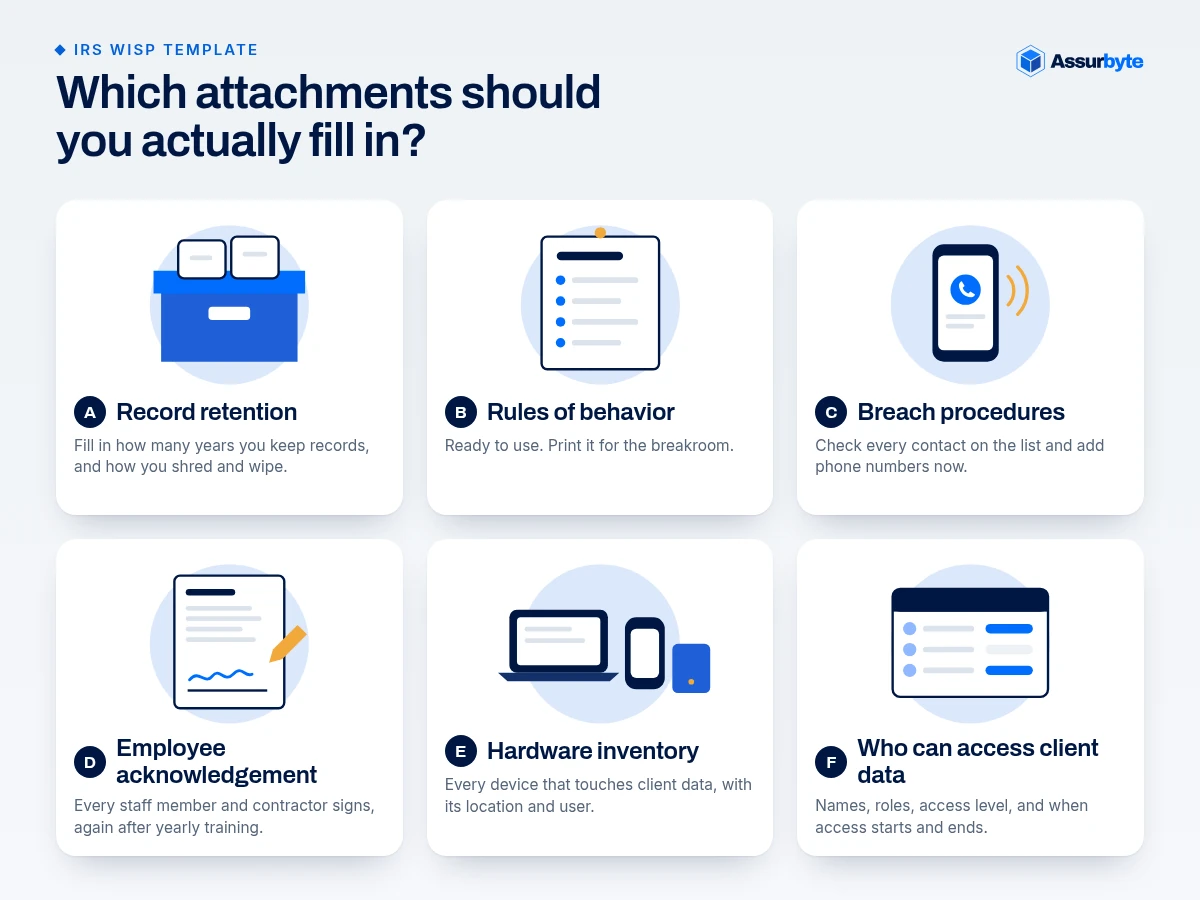
Which attachments should you actually fill in?
The six sample attachments are where the template saves you the most time. Here's a quick guide:
- A, Record retention: fill in the blank for how many years you keep records, and how you shred and wipe.
- B, Rules of behavior: ready to use. Print it for the breakroom. It covers fishy links, strong passwords and keeping work and personal devices apart.
- C, Breach procedures and notifications: check every contact on the list and add phone numbers now, not on the bad day.
- D, Employee acknowledgement: every staff member and contractor signs, and you redo it after yearly training. Pub 5708 suggests the owner's signed copy goes on top of the stack, so everyone sees the rules apply to the boss too.
- E, Hardware inventory: every computer, phone, router, printer and drive that touches client data, with its location and user.
- F, Who can access client data: names, roles, access level and the dates access starts and ends. Include outside folks like your IT person.
Then go back to Section VII, add the date, and have the owner and the DSC sign.
How long does it take, and when should you review it?
For a small office, plan on an afternoon or two to get a solid first draft, plus time to fix the habits you find along the way. That's an estimate, not a promise: offices with lots of devices or vendors take longer.
After that, the template's cover page says to review it "at least annually," and Pub 5708 calls a WISP "an evergreen document." A natural time is before tax season, which also lines up nicely with your PTIN renewal. (Form W-12 line 11 asks you to confirm you're aware a written plan is required; see IRS Form W-12.)
If you'd rather not spend the afternoon on it, Assurbyte's Safeguards Readiness Package writes a custom WISP for your office, along with a list of gaps to fix.
FAQ
Is the IRS WISP template free?
Yes. IRS Publication 5708 is a free PDF on IRS.gov. You can copy its template into Word or Google Docs and fill in your firm's details.
Can I just fill in the blanks and be done?
The blanks are the start, not the finish. Pub 5708 says it isn't meant to substitute for your own plan, and the FTC Safeguards Rule (16 CFR 314.4) asks for a few things the sample doesn't fully spell out, like MFA on every system and encryption at rest.
What's the difference between Pub 5708 and Pub 4557?
Pub 5708 is the WISP guide and sample template. IRS Publication 4557, Safeguarding Taxpayer Data, is a broader guide to protecting client data, and Pub 5708 recommends reading it first.
Does a one-person tax office need the whole template?
Pub 5708 says a sole practitioner "can use a more abbreviated and simplified plan." You still need a written plan, but it can be shorter and simpler.
Want a quick read on where you stand?
Take our free Small Office Security Checkup. It takes a few minutes and shows which parts of your plan need attention.
This is general information, not legal advice. For legal questions, talk with your own counsel.
Sources
- IRS Publication 5708 (Rev. 8-2024), Creating a Written Information Security Plan for your Tax & Accounting Practice: intro and "regardless of size" (p. 2); sole practitioner "more abbreviated and simplified plan," PDF or Word format, offsite copy, "evergreen document" (p. 3); "review and update at least annually" (p. 5); Sections I to VII (pp. 6 to 12); MFA "for remote login" (p. 11); DSC and PIO as different people in most firms of two or more (p. 13); "not an exhaustive discussion" (p. 2); Attachments A to F (pp. 16 to 25): https://www.irs.gov/pub/irs-pdf/p5708.pdf
- 16 CFR 314.4, Elements (Qualified Individual (a); written risk assessment (b)(1); encryption (c)(3); MFA (c)(5); disposal within two years (c)(6); testing (d)(2); incident response plan (h); annual written report (i)), eCFR, current through Oct 28, 2026: https://www.ecfr.gov/current/title-16/section-314.4
- 16 CFR 314.6, Exceptions (fewer than 5,000 consumers: 314.4(b)(1), (d)(2), (h) and (i) don't apply): https://www.ecfr.gov/current/title-16/section-314.6
- IRS Publication 4557, Safeguarding Taxpayer Data: https://www.irs.gov/pub/irs-pdf/p4557.pdf
- IRS Form W-12, line 11: https://www.irs.gov/pub/irs-pdf/fw12.pdf
- IRS Security Summit news release on WISPs: https://www.irs.gov/newsroom/security-summit-partners-urge-tax-pros-to-create-plan-for-data-safety