

Yes. If you're paid to prepare tax returns, you're expected to have a WISP, a written information security plan. Your PTIN renewal even asks about it now, on Form W-12 line 11. The good news: a WISP for tax preparers doesn't have to be long, fancy or technical. It has to be written down, and it has to describe how your office really works.
Picture the renewal screen. You've got coffee in one hand, a "verify your identity" code in the other, and then a question about a security plan pops up. If your honest reaction was "wait, do I have one of those?", this post is for you. We'll cover what the box means, why a WISP matters on a bad day, and a calm way to start this week.
What is a WISP, in plain English?
A WISP is the document that explains how your office keeps client data safe. It names who's in charge, lists the client data you hold and where it lives, describes the protections you use, and says what you'll do if something goes wrong.
Think of it like the fire escape plan taped by the office door. Nobody reads it on a normal Tuesday. But when the smoke alarm goes off, nobody wants to make up a plan in the hallway either. The WISP is your plan, written on a calm day, for the not-so-calm one.
Do tax preparers need a WISP?
Yes. Here's where that comes from, in three short steps:
- The rule. The FTC Safeguards Rule (16 CFR Part 314) is the Federal Trade Commission's rule for protecting customer data. It names "an accountant or other tax preparation service that is in the business of completing income tax returns" as a business it covers (16 CFR 314.2, definitions).
- The written part. The rule says you must keep "a comprehensive information security program that is written in one or more readily accessible parts" (16 CFR 314.3, the written program requirement).
- The IRS agrees. IRS Publication 4557, Safeguarding Taxpayer Data, says that under the FTC Safeguards Rule, "tax return preparers must create and enact security plans to protect client data."
Size doesn't get you out of it. A two-person seasonal office and a 25-person firm both need a written plan. What changes with size is how much detail it needs. The IRS has said a sole practitioner can use "a more abbreviated and simplified plan" (IRS Security Summit news release on WISPs).
What does Form W-12 line 11 ask about a WISP?
Form W-12 is the form behind your PTIN (Preparer Tax Identification Number, the ID you put on every return you're paid to prepare). Line 11, under "Data Security Responsibilities," reads:
"I am aware that paid tax return preparers are required by law to create and maintain a written information security plan that provides data and system security protections for all taxpayer information."
You check yes or no, and the form points you to IRS Publications 5708 and 4557 (IRS Form W-12).
Notice the key word: aware. Line 11 is an acknowledgement. You're not uploading your plan, and nobody from the IRS is coming to read it over your shoulder. You're confirming you know the rule exists. Still, it's a lot nicer to check that box with a straight face. For the full line-by-line explanation, see what W-12 line 11 means for your PTIN renewal.
Why does a WISP matter after a breach?
The rule is the reason the plan has to exist. The bad day is the reason you'll be glad it does.
Say someone on your team clicks a fake "your mailbox is full" email and types in their password. Or a laptop goes missing from the back seat of a car in March. The first questions are always the same: who's in charge, what data was on it, and who do we call? A WISP answers those before your heart rate does.
Speed matters here. The IRS tells tax pros to report data theft right away, because hearing early helps it protect your clients' accounts (IRS data theft information for tax professionals).
Cyber insurance is the other reason. Insurers may ask how you protect client data: things like MFA (multi-factor authentication, a second lock on the door, like a code on your phone), backups, and whether you have a written security plan. The IRS WISP template even has a spot to note who handles your data theft insurance. A plan that matches real life makes those answers easier, and more honest.
Are there breaks for small tax offices?
One narrow one. If your office keeps customer information on fewer than 5,000 consumers, the Safeguards Rule lets you skip a few specific items (16 CFR 314.6, exceptions):
- the written risk assessment (a written list of what could go wrong),
- continuous monitoring, or yearly penetration testing (hiring someone to try to break in on purpose) and vulnerability scans (automated checks for known weak spots),
- the written incident response plan (your "what we do if something goes wrong" plan), and
- the yearly written report to your leadership.
Everything else still applies: the written plan itself, naming a Qualified Individual (the person who runs your security program; no special title or degree needed), access controls, encryption (scrambling data so only the right people can read it), MFA, staff training and keeping an eye on vendors (16 CFR 314.4, the required elements).
Count carefully. "Consumers" can include past clients whose records still sit in your files. And even if you're under 5,000, a one-page "if something goes wrong" list is one of the most useful pages you'll ever write.
What goes in a WISP for tax preparers?
The IRS publishes a free template built for small tax practices: IRS Publication 5708, the WISP template for tax and accounting practices. In plain terms, your plan covers:
- Who's responsible. Your Qualified Individual.
- What you have. Client data, systems and devices, and where data is stored or sent.
- Risks. What could reasonably go wrong, and how you'll handle it.
- Safeguards. Access controls, MFA, encryption, backups, updates, secure disposal.
- People. Training, plus what happens when someone joins or leaves.
- Vendors. Which outside companies touch client data, and how you keep tabs on them.
- Incidents. What you'll do, and who you'll notify, if data gets out.
- Review. When you'll update the plan (at least yearly, and after big changes).
Want to fill in the template without guessing? Here's our section-by-section walkthrough of the IRS WISP template in Pub 5708. For more on each section, see what a WISP should include for a small accounting firm.
How do I start a WISP this week?
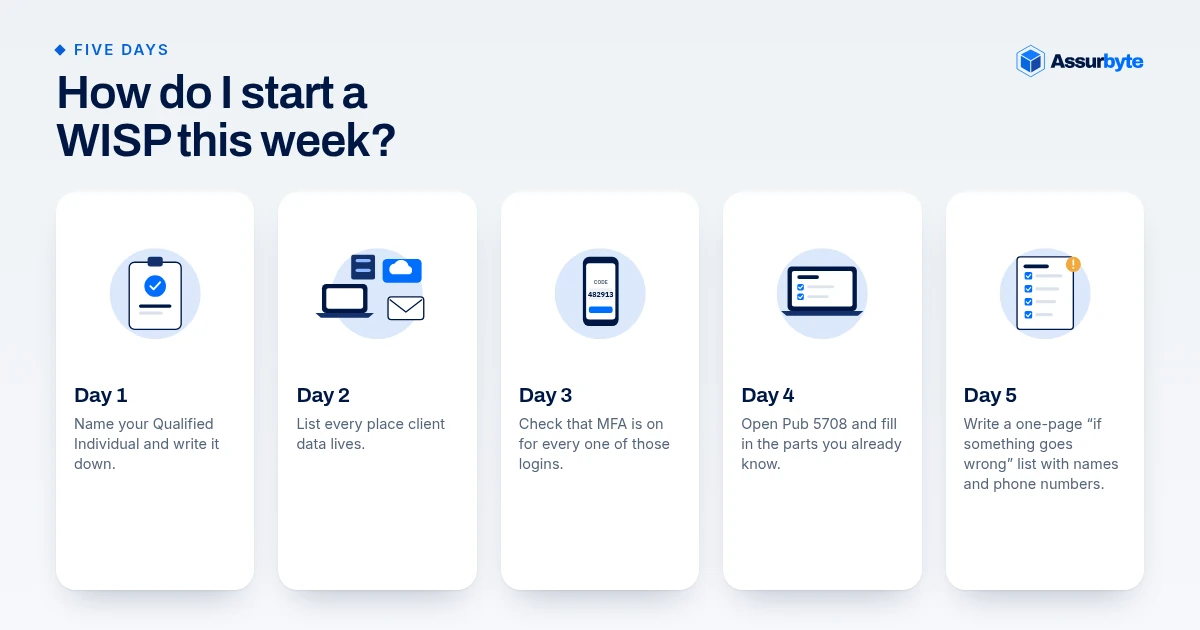
You don't have to write it in one sitting. One small step a day works:
- Day 1: Name your Qualified Individual and write it down. (Yes, it can be you.)
- Day 2: List every place client data lives: tax software, email, cloud storage, paper files, laptops, phones. Don't forget the client who emails a photo of their Social Security card "just to be safe." That inbox counts.
- Day 3: Check that MFA is turned on for every one of those logins.
- Day 4: Open Pub 5708 and fill in the parts you already know.
- Day 5: Write a one-page "if something goes wrong" list with names and phone numbers.
Then set a yearly reminder to review it, ideally outside January to April, when you can think in full sentences.
What mistakes do small offices make with a WISP?
- A template nobody filled in. Blanks, or another firm's name still on page one, don't describe your office.
- A plan that doesn't match real life. If it says "MFA on all accounts" and the shared front-desk inbox has none, that's a gap.
- Forgetting paper. The filing cabinet and the shred bin are part of the plan too.
- Never updating it. New software, new staff or a new setup should trigger a quick review.
FAQ
Do tax preparers need a WISP?
Yes. The FTC Safeguards Rule (16 CFR Part 314) covers tax preparation services and requires a written information security program. IRS Publication 4557 says tax return preparers must create and enact security plans to protect client data.
What does Form W-12 line 11 ask about a WISP?
It asks you to acknowledge that you're aware paid preparers are required by law to create and maintain a written information security plan. It's an acknowledgement, not an inspection, and it points to IRS Publications 5708 and 4557.
Do I have to send my WISP to the IRS or FTC?
No. Line 11 doesn't ask you to submit it, and the Safeguards Rule doesn't require you to file it. You need to have it, follow it and keep it up to date.
Can I use the IRS WISP template?
Yes. IRS Publication 5708 was made for tax and accounting practices. Fill in every section so it describes your office, not a generic one.
Want a second set of eyes?
If you'd like to know where your office stands before tax season, take the free Small Office Security Checkup. It takes a few minutes and shows you which gaps to look at first. If you'd rather hand the whole plan off, our Safeguards Readiness Package can write it for you.
This is general information, not legal advice. For legal questions about your situation, talk with your own counsel.
Sources
- IRS Form W-12 (Rev. October 2026), line 11 "Data Security Responsibilities": https://www.irs.gov/pub/irs-pdf/fw12.pdf
- Instructions for Form W-12: https://www.irs.gov/pub/irs-pdf/iw12.pdf
- 16 CFR 314.2, definitions, (h)(2)(viii) tax preparation services: https://www.ecfr.gov/current/title-16/section-314.2
- 16 CFR 314.3(a), written program: https://www.ecfr.gov/current/title-16/section-314.3
- 16 CFR 314.4, required elements: https://www.ecfr.gov/current/title-16/section-314.4
- 16 CFR 314.6, exceptions for fewer than five thousand consumers: https://www.ecfr.gov/current/title-16/section-314.6
- 16 CFR Part 314 (full part): https://www.ecfr.gov/current/title-16/chapter-I/subchapter-C/part-314
- IRS Publication 4557, Safeguarding Taxpayer Data: https://www.irs.gov/pub/irs-pdf/p4557.pdf
- IRS Publication 5708, WISP template: https://www.irs.gov/pub/irs-pdf/p5708.pdf
- IRS Security Summit news release, "abbreviated and simplified plan": https://www.irs.gov/newsroom/security-summit-partners-urge-tax-pros-to-create-plan-for-data-safety
- IRS news release, WISP reminder: https://www.irs.gov/newsroom/irs-security-summit-remind-tax-pros-they-need-a-written-information-security-plan-to-protect-client-data
- IRS, Data theft information for tax professionals: https://www.irs.gov/individuals/data-theft-information-for-tax-professionals