

A WISP for accounting firms earns its keep on a bad day: a phished inbox (someone clicked a fake email and gave away a password), a lost laptop, or an insurer asking how you protect client data. A WISP, or Written Information Security Program, is your office's written game plan for keeping client data safe. If your office needs one (here's why tax offices do), the next question is what goes in it. Good news: you don't have to invent the outline. The IRS published one for small practices, IRS Publication 5708, and the FTC Safeguards Rule (the Federal Trade Commission's rule for protecting customer data) tells you what the program has to cover.
Below is a practical outline of a WISP for accounting firms with 5–25 people, and what each section should actually say. Think of it as a recipe, not a novel.
How long and detailed should a WISP be?
A WISP isn't a trophy for the shelf. It's a plain description of how your office really works. The Safeguards Rule says your safeguards must be "appropriate to your size and complexity" (16 CFR 314.3). A 12-person firm doesn't need a 90-page binder that doubles as a doorstop. It needs accurate pages that people actually follow.
Section 1: What does the WISP cover?
One short paragraph. Say what the WISP covers (client data in any form: on screens, on paper, or said out loud), which offices and remote workers it applies to, and which rules it's written to follow (the FTC Safeguards Rule, plus any state rules you know about).
Section 2: Who is responsible?
Name the person who runs the program, plus a backup for when they're on vacation. Then list who does what: who approves new software, who shuts off access when someone leaves, and who staff should tell when something looks off. If an outside provider fills the role, name the senior person at your firm who keeps an eye on them.
Section 3: What client data do you have, and where?
This is the foundation, so take your time. List:
- Types of client data: SSNs, bank and direct-deposit details, returns, W-2s and 1099s, ID copies, engagement letters.
- Where it lives: tax software, document portal, email, cloud storage (online storage like Dropbox or OneDrive), file server (the shared office computer that stores files), laptops, phones, paper files. Yes, the shoebox of receipts a client dropped off counts too.
- Who can access each location.
- Devices: every computer, phone and tablet that touches client data.
If you only finish one section this month, make it this one. It's also the section our Safeguards Readiness Package builds first.
Section 4: What could go wrong?
For each place data lives, ask what could reasonably go wrong. A phished password. A laptop left in a cab. A former employee who can still log in. A vendor that gets breached. A backup that quietly stopped running in March. Note how likely and how painful each one is, and what you'll do about it. Firms with fewer than 5,000 consumers' records are exempt from the written risk assessment under the 16 CFR 314.6 small-firm exceptions, but you still need to know your risks to pick the right protections.
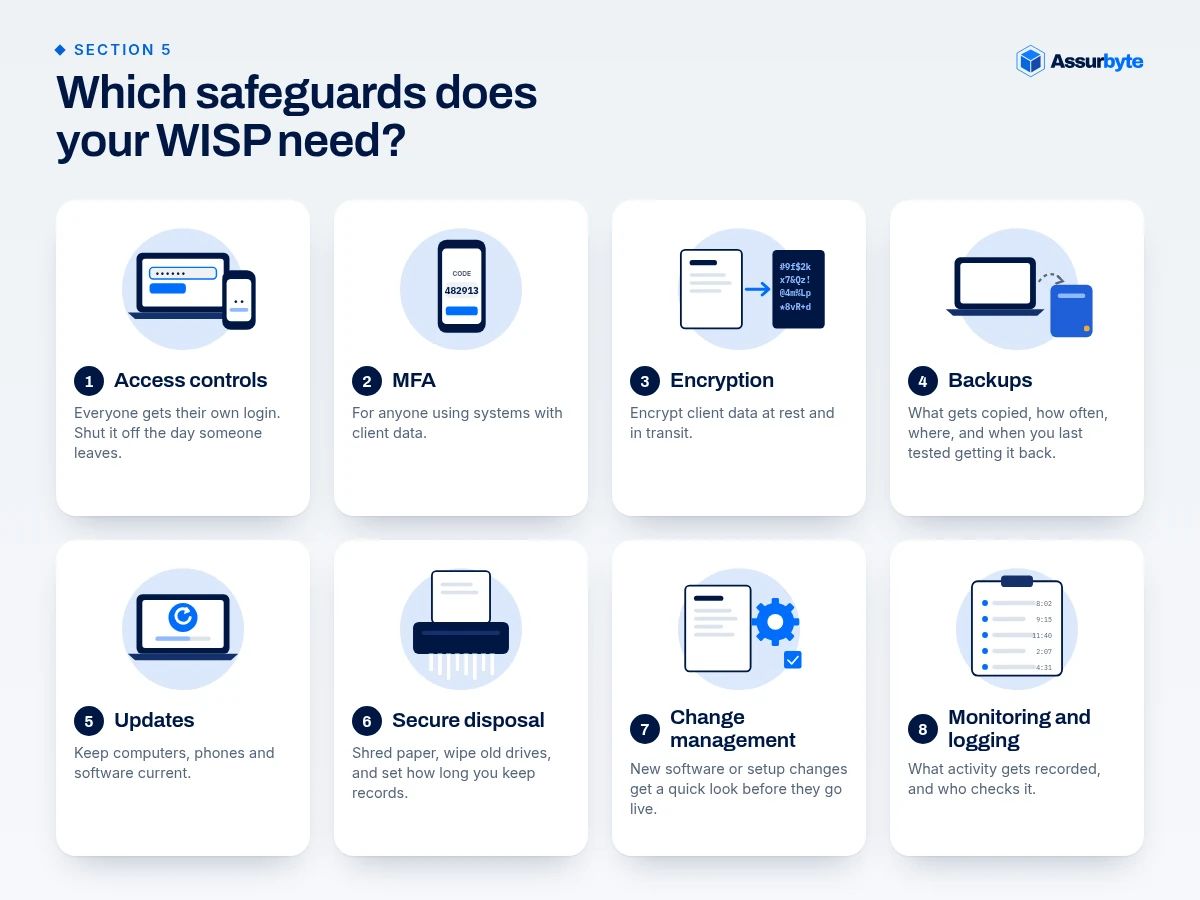
Section 5: Which safeguards does your WISP need?
Safeguards are the locks, alarms and habits that protect your data. Write down what you actually do, matched to what the Safeguards Rule names:
- Access controls: everyone gets their own login (no shared "frontdesk" password); people only reach what their job needs; review access at least yearly; shut it off the day someone leaves.
- MFA: multi-factor authentication is a second lock on the door, like a code on your phone after your password. Require it for anyone using systems with client data, including email, tax software, cloud storage and remote access (where small offices miss MFA).
- Encryption: encryption scrambles data so only someone with the key can read it. Encrypt client data at rest (stored on laptops and drives) and in transit (while it's being sent, so use a secure portal instead of plain email attachments).
- Backups: what gets copied, how often, where it goes, and when you last tested getting it back.
- Updates: keep computers, phones and software current. Those "restart to update" pop-ups matter.
- Secure disposal: how paper gets shredded and old drives get wiped, plus how long you keep records.
- Change management: how new software or setup changes get a quick look before they go live.
- Monitoring and logging: what activity gets recorded (a log is like a sign-in sheet for your systems) and who checks it.
Section 6: How do you train staff?
Give every staff member security awareness training at least once a year, and again when risks change. Include onboarding steps (accounts, MFA, signing the policy) and offboarding steps (same-day access removal, getting devices back). Seasonal staff count too, even the ones who join for eight weeks and live on vending-machine snacks.
Section 7: How do you oversee vendors?
List every outside company that stores, handles or can see client data: tax software, cloud storage, IT provider, payroll, shredding company. For each, note what they hold, what the contract says about security, and when you last checked in on them. The rule asks you to pick capable providers, require protections in the contract, and check on them from time to time.
Section 8: What happens if data is exposed?
Spell out what counts as an incident (a security problem, like a hacked inbox), who makes the call, how to stop the damage, and who to notify. For tax professionals that includes your IRS Stakeholder Liaison, state tax agencies, law enforcement, your insurer, affected clients, and the FTC if 500 or more consumers' unencrypted information is involved (within 30 days of discovery). Keep a printed contact sheet, because a hacked computer is a bad place to look up phone numbers (full tax firm data breach steps). Under-5,000 firms are exempt from the written plan requirement, but this is the section we'd write first anyway.
Section 9: When do you review the WISP?
Say when you'll review the WISP (at least yearly and after big changes), and how the Qualified Individual (the person in charge of the program) reports on it to the owner. Firms under 5,000 consumers are exempt from the formal annual written report, but a dated review note is still worth keeping.
Why do the details in a WISP matter?
A WISP earns its keep on the day something goes wrong. If your data list is current, you can quickly tell what a phished account or lost laptop could expose. If your vendor list is current, you know who to call. And if you have cyber or data theft insurance, an accurate WISP makes your insurer's questions easier to answer honestly. Pub 5708's template even has a spot for who maintains that insurance.
Which appendices save time?
Appendices are the handy extras at the back of the plan:
- Staff acknowledgment form.
- Asset and vendor lists (living spreadsheets you keep updating).
- Incident contact sheet.
- Training log.
- Pub 5708 includes sample forms you can adapt.
FAQ
How long should a WISP for accounting firms be?
Long enough to describe your office accurately. There's no required length. The Safeguards Rule says your safeguards must be "appropriate to your size and complexity."
Can we just use the IRS WISP template?
Yes, as a starting point. Pub 5708 includes sample forms. Replace every generic statement with what your office actually does.
Do small firms need a written risk assessment and incident plan?
Firms with fewer than 5,000 consumers' records are exempt from the written versions under 16 CFR 314.6, but you still need to know your risks, and the incident section is the one we'd write first.
What if our WISP says we do something we don't?
Fix the gap or fix the document. A WISP that doesn't match reality is a problem in itself.
How Assurbyte can help
Writing a WISP and closing the gaps is real work. You have to inventory every login and device, check MFA account by account, line your plan up with 16 CFR 314 and IRS Publications 4557 and 5708, and keep it true as your office changes. That's hours of careful work, and January is the worst time to start.
Our done-for-you Safeguards Readiness Package handles it:
- A written WISP built for your office, not a blank template with someone else's name in it.
- A clear list of gaps to fix, in plain English, in priority order.
- Sized to your office, so a small shop isn't handed a plan built for a big firm.
- Optional help with the fixes on your gap list, if you want it.
What you get back is time, a plan that's in place before tax season, and clear answers when your insurer asks about MFA, backups or a written plan, or when you need your breach steps fast. We'll also tell you if you don't need us.
Ready to see your gaps?
Take our free Small Office Security Checkup. It takes a few minutes and shows where your office has gaps. Then get your Safeguards Readiness Package, and we'll write the plan and the fix list for you.
This is general information, not legal advice. Check legal questions with your own counsel. Assurbyte helps offices get ready; we don't give legal sign-off.
Sources
- IRS Publication 5708, Creating a Written Information Security Plan for your Tax & Accounting Practice: https://www.irs.gov/pub/irs-pdf/p5708.pdf
- 16 CFR 314.4, Elements: https://www.ecfr.gov/current/title-16/section-314.4
- 16 CFR 314.6, Exceptions: https://www.ecfr.gov/current/title-16/section-314.6
- 16 CFR 314.3, Standards for safeguarding customer information ("appropriate to your size and complexity"): https://www.ecfr.gov/current/title-16/section-314.3
- IRS Publication 4557: https://www.irs.gov/pub/irs-pdf/p4557.pdf